Start with the person
Open an employee record to find identity details, department, area, tags, and document health in one place. Keep the employee context visible while moving between documents.
A name, an ID, a document, a family member. Bring the details together in a dossier your team can actually use.
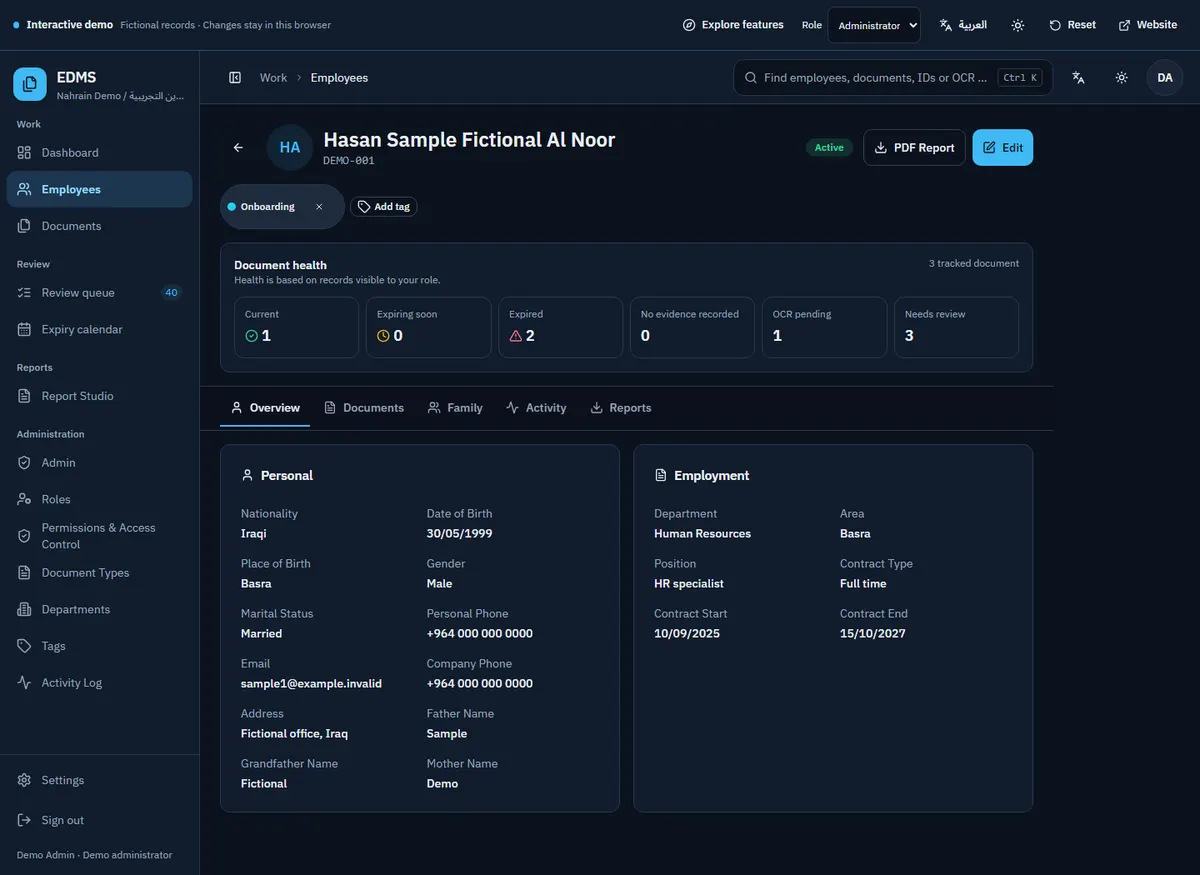
Open an employee record to find identity details, department, area, tags, and document health in one place. Keep the employee context visible while moving between documents.
Link family members to an employee and keep each person’s documents attached to the right owner. A family dossier makes the relationship visible without mixing records together.
Inspect front and back images, metadata, and earlier versions. A replacement becomes part of the record’s history, so the team can understand what changed.
Start with the sample and follow the path through the actual workspace.
Yes. Family members remain linked to their employee while retaining their own document ownership and details.
Use the global search and document filters to explore names, identifiers, document types, tags, and available extracted text.
No. The demo is a separate browser-only sandbox and has no connection to the production database.
Tell me how your documents move today. We’ll discuss the installation, the workflow, and what needs to fit.
Please leave employee documents, passwords, and sensitive records out of your email.