Separate the responsibilities
Assign roles and explore permissions for everyday record actions and administration. Explain the affected scope before a permission change becomes an operational surprise.
Document work involves different responsibilities. Make the difference between viewing, changing, administering, and reviewing understandable.
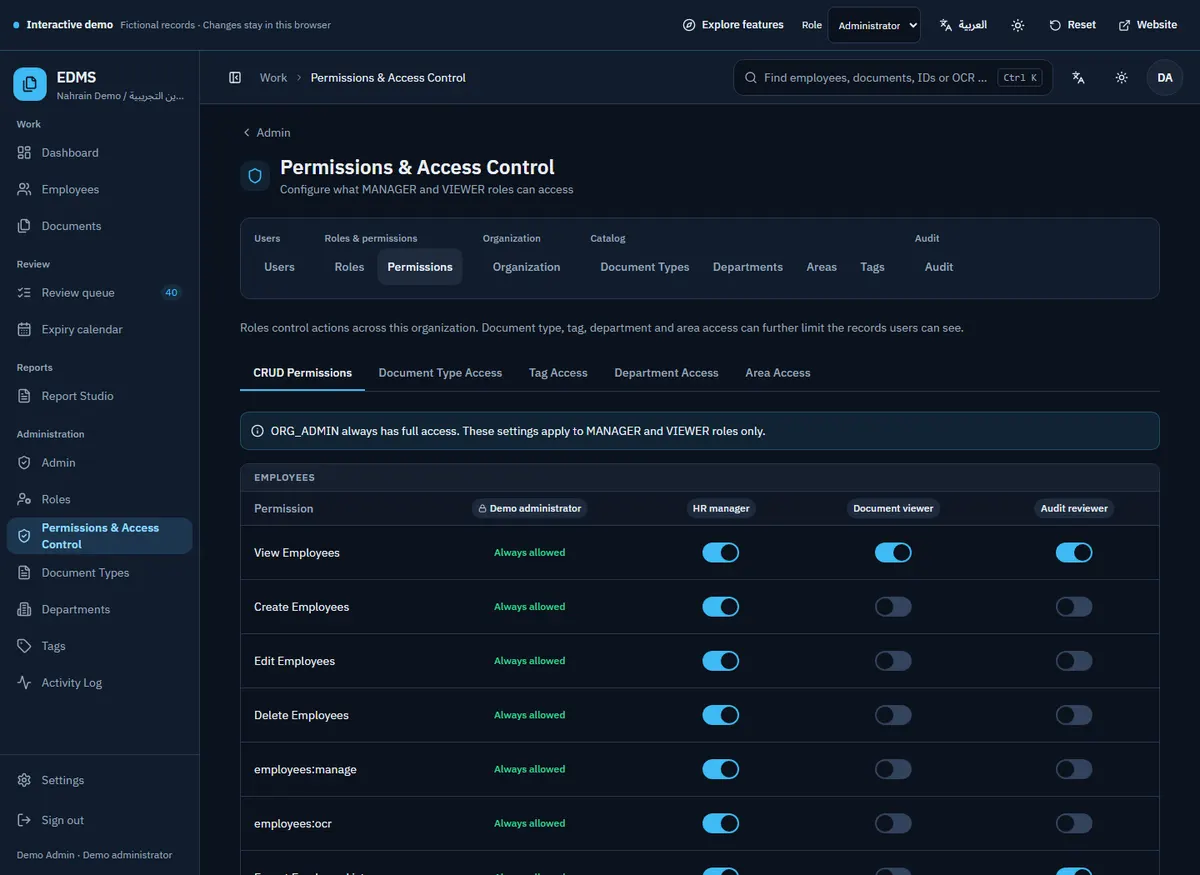
Assign roles and explore permissions for everyday record actions and administration. Explain the affected scope before a permission change becomes an operational surprise.
A permission to view documents does not have to mean visibility of every document. The production architecture includes content restrictions by organizational dimensions and document categories.
Use audit history to inspect recorded application actions. Relate an event to the actor, resource, and time instead of relying on memory about who changed a record.
Start with the sample and follow the path through the actual workspace.
No. The real application enforces permissions and record visibility on the server. Interface changes help users understand those rules.
No. It changes a local fictional session, and all demonstration records remain public sample content.
Roles and content restrictions can be configured around your organization’s responsibilities. Review the intended permission matrix during deployment.
Tell me how your documents move today. We’ll discuss the installation, the workflow, and what needs to fit.
Please leave employee documents, passwords, and sensitive records out of your email.